Suggest a team move
Some older leagues drafted into placeholder teams named with a number (One, Two, Three...) that were really teams like Red or Blue. If you played on one, you can tell the league which real team it was, and a system admin checks it before anything changes. Nothing you suggest changes any data on its own.
Make a suggestion
- Log in. If a league you played in has a numbered team, a banner on that league's Teams page asks you to suggest, and your player history and profile show a Suggest a team move link next to the team. You can also open Profile, then More, then Suggest Team Moves.
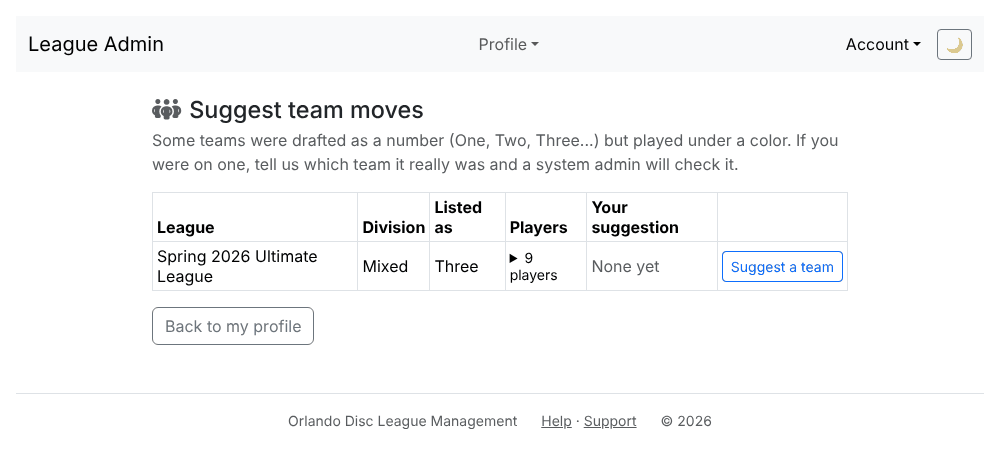
- Find your numbered team in the list. Press N players to see who else was on it, which can help you remember.
- Press Suggest a team, choose the team it really was, and save. You can change your suggestion later or withdraw it.
Agreeing with teammates
For each numbered team the page shows how many other players have already suggested each real team (counts only, never names). If you agree, press Yes, that's right to add the same suggestion for yourself. If you remember a different team, suggest that one instead.
What happens next
- A system admin sees every suggestion for a team. Teams where players agree are marked as strong and teams where they disagree are flagged for a closer look. Suggestions are only a hint; nothing is approved automatically.
- When the admin approves a move, the whole team, with its players and games, is renamed to the real team and the other suggestions for it are closed.
- The banner and links go away once the league has no numbered teams left.
Last reviewed 2026-11-25