Merging another player into your account
If you have more than one player record, for example from an old email address, you can merge the other one into your account so all your league history is in one place. Your account is always the one that is kept.
For older registrations that are simply under your email, try Bringing over older registrations first.
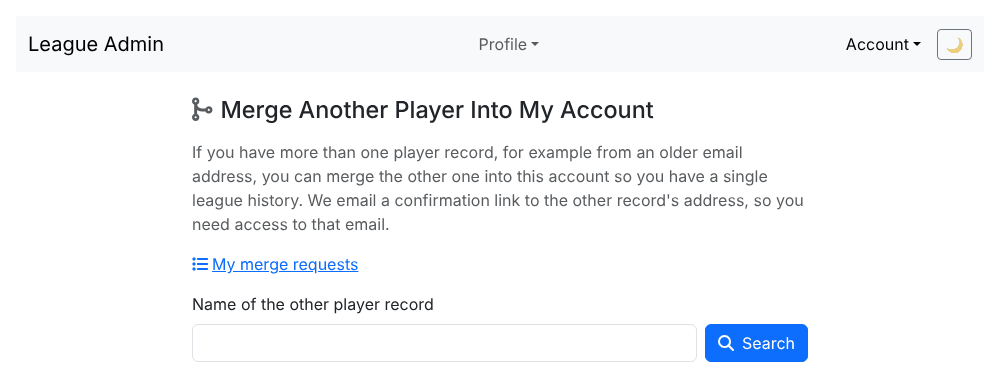
Steps
- Open Profile then Merge Another Player.
- Search for the other record by name, and press Select on the right one. Each result lists the leagues it played in so two people with the same name can be told apart. A record with no registrations isn't listed, since there is nothing to merge.
- On the preview, tick the registrations that should move to your account (all are moved if you leave them ticked), then press Update preview to see any conflicts. A game log follows its registration.
- If you can read the other record's email, tick that you have access and send the request. We email a confirmation link to that address. Open it while logged in as yourself and approve.
- If you can't read that inbox, choose Send to a Sysadmin and add a note of at least 10 characters. A system admin reviews it.
After you ask
- My Merge Requests (from Profile) lists your requests with their status, and lets you Cancel a pending one.
- The email links work once and expire after about 48 hours. A request sent to a system admin stays open until they answer it.
- You can send a limited number of requests a day.
- Merging can give your account the league admin, captain or scorekeeper roles the other record held. The preview warns you.
- The leftover empty record is not deleted for you; a system admin can remove it.
Last reviewed 2026-10-31