Family members
Family members are people you register for leagues, such as children. They don't log in; you manage them from your account. Their league history and stats are their own.
Add someone
- From the Account menu choose Profile, then My Family. Under Add a family member enter their first name, last name and gender and press the add button.
- Or add them while registering: choose Family Member on the league's sign-up form, then Add a family member....
Manage them
Each person has a card on My Family showing their gender and number of league registrations. You can:
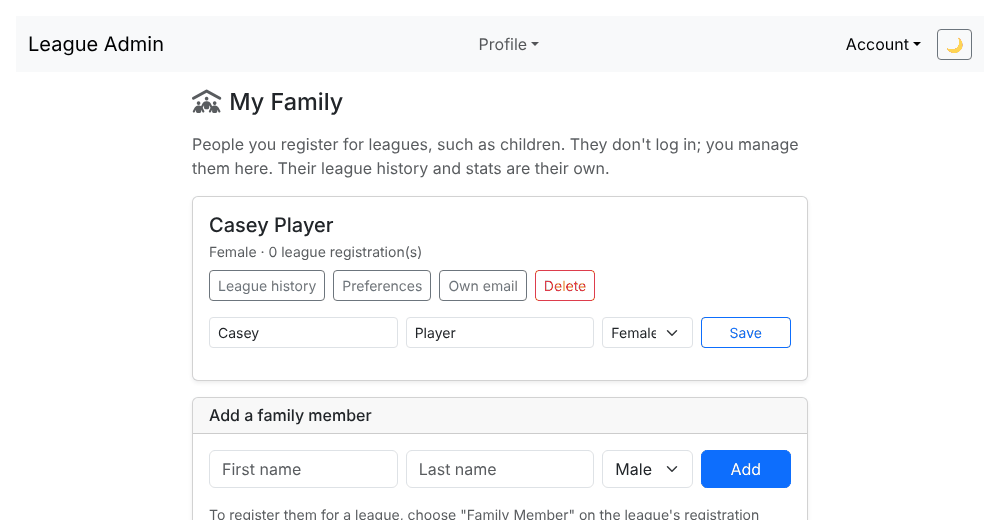
- Edit their name or gender and press Save.
- Open their League history.
- Open their Preferences. Their emails go to your address, since they share it.
- Delete them, which permanently deletes their league registrations. Games they played in keep their scores and statistics, with their name shown as "Deleted player". You can't delete someone while they are scoring or playing in a game that is in progress.
Give them their own email
When a family member is ready to have their own login, press Own email on their card. Enter the email they will use and press Preview. They stop being a family member you manage and become a player with their own login; their registrations, history and stats stay with them. They sign up with that email, and whoever can log in with it will own the record, so make sure it is theirs. You can no longer register them or change their preferences afterwards.
If that email already has an account, the two have to be combined, which only a system admin can do. Email support@orlandodisc.org.
Move them to another guardian
You can't move a family member to another account yourself. A system admin does it, and the person's registrations, history and stats move with them. Email support@orlandodisc.org from the email on your account and include:
- the family member's name,
- the email of their current guardian (the account they are on now), and
- the email of the new guardian. The new guardian needs an account on this site and has to log in at least once.
After the move the family member's emails go to the new guardian's address, and the new guardian manages them from My Family. If the two guardians disagree about who should manage them, a system admin may need to hear from both before making the change.
Register them
On a league's sign-up form choose Family Member and pick them from the list. People already registered for that league don't appear in the list.
Last reviewed 2026-10-31